Workspace Skills
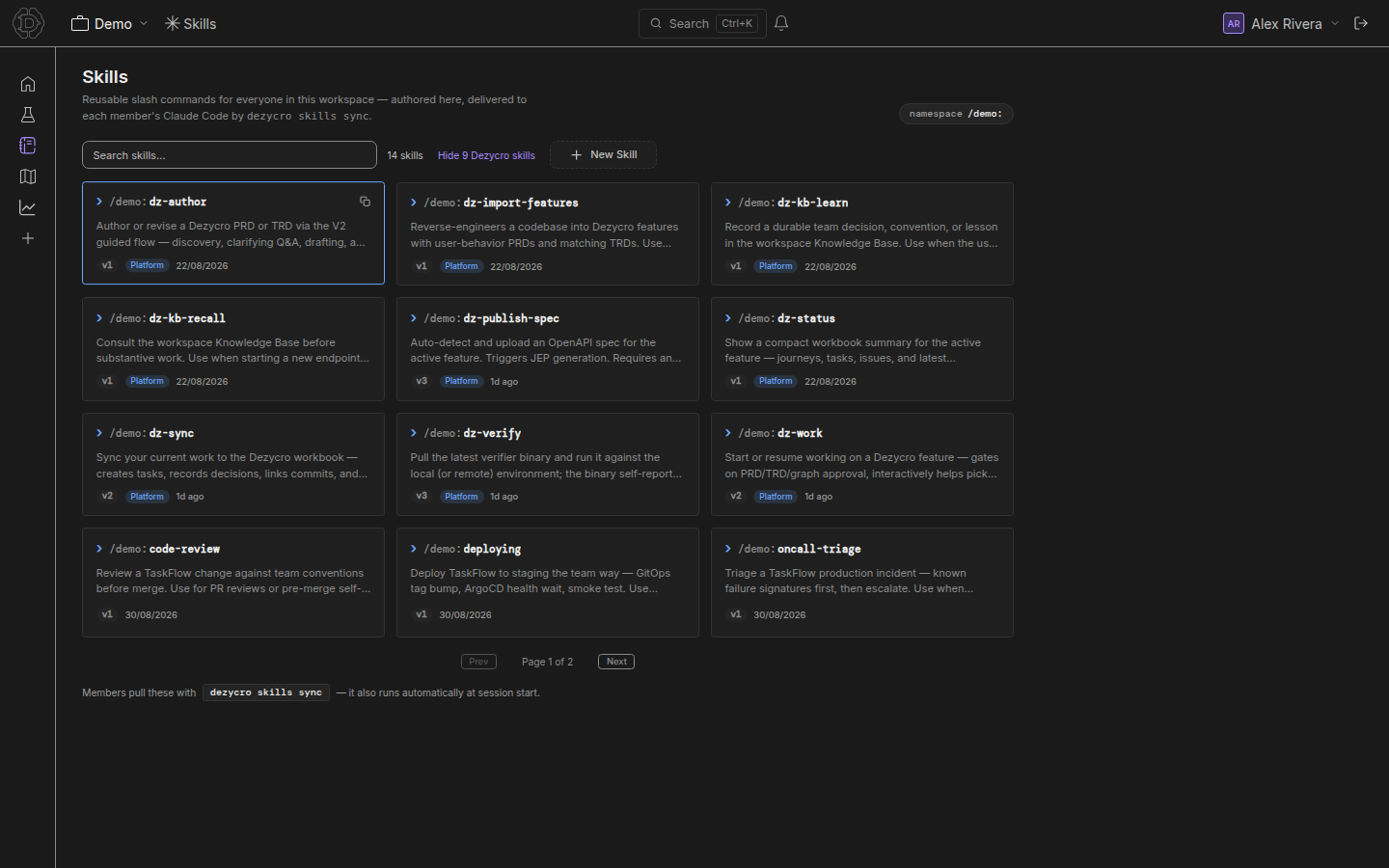
Skills are reusable instructions — markdown playbooks authored once per workspace and synced to every developer's coding agent as slash commands. Write "how we do database migrations" once on the Skills page; every agent in the team can run it as /acme:db-migration (/acme-db-migration in Cursor).
The model
- A skill is a named markdown document scoped to a workspace. Names are URL-safe slugs (lowercase letters, numbers, hyphens; max 64 chars).
- Each workspace has a prefix (e.g.
acme) — synced skills appear as/<prefix>:<name>in Claude Code and/<prefix>-<name>in Cursor. - Every save bumps the skill's version; the sync client uses versions to pull only what changed.
- Skills come from two origins: workspace skills your team writes, and platform skills Dezycro ships into every workspace — the
dz-*commands (see Platform skills).
Managing skills
Open Workspace → Skills in the left rail. Every workspace member can read skills; editors can create, edit, and delete them.
- Create — pick a slug name and write the markdown body. The body is exactly what your coding agent receives as the slash command's instructions, so write it like you'd brief a teammate: when to use it, the steps, the gotchas.
- Edit — saves a new version; developers pick it up on their next sync.
- Delete — removes the skill from the workspace. Developers lose it on their next sync. For workspace skills this is permanent; for platform skills it's an opt-out you can undo (see below).
- Copy — each card has a copy button for the
/<prefix>:<name>invocation.
The workspace prefix
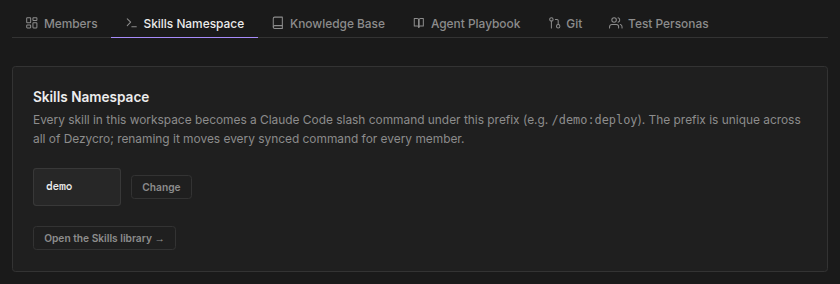
The prefix namespaces your skills in your coding agent so skills from different workspaces never collide. It's derived automatically from the workspace name on first use and can be changed by workspace admins under Workspace settings → Skills Namespace.
- Must be a URL-safe slug, unique across all of Dezycro.
dezycrois reserved for the CLI's built-in/dezycro:init; Dezycro's other commands aredz-*platform skills under your prefix.- Changing the prefix re-namespaces every synced skill on developers' next sync.
Syncing to your coding agent
Skills reach developers through the Dezycro CLI (see Installation):
dezycro skills sync                          # pull skills for your configured workspaces
dezycro skills sync --pick                   # (re)pick which workspaces to sync from
dezycro skills sync --from acme,acme-mobile  # sync from exactly these workspaces (IDs or names)
dezycro skills sync --from all               # sync from every workspace you're in, including ones created later
dezycro skills sync --force                  # overwrite conflicting foreign files (takes ownership)
On first run the CLI asks which of your workspaces to sync — you pick from a list, never paste IDs. --from skips the picker and sets the list directly; either way, the new selection replaces the old one.
Skills are written to ~/.claude/commands/<prefix>/<name>.md, which Claude Code exposes as /<prefix>:<name>.
You rarely need to run this by hand: the Dezycro CLI syncs automatically at session start and every 5 minutes while the Companion gateway is running.
Dropping a workspace removes its skills
Every sync compares what's on disk against your current sources. A workspace you remove from your selection — via --pick, or by leaving it out of --from — has its synced skills removed on the next sync. This is deliberate: it keeps the skills list from filling up with workspaces you no longer care about, and it only ever touches files the CLI itself owns.
Your files are safe
The CLI tracks every file it writes in a local ledger and never overwrites or deletes a file it doesn't own. If a synced skill would collide with a command file you created yourself, the CLI skips it with a warning; --force takes ownership explicitly.
Checking what's synced
dezycro skills list           # skills synced to this machine, grouped by workspace
dezycro skills list --all     # also include the skills every workspace ships with (hidden by default)
dezycro skills sources        # which workspaces you're currently syncing from
dezycro skills sources --json # same, as JSON
skills sources falls back to bare workspace IDs when it can't reach Dezycro to resolve their names.
Platform skills
Every workspace ships with Dezycro's own commands as platform skills — dz-work, dz-verify, dz-author, and the rest, plus dz-kb-learn / dz-kb-recall, which turn the workspace's Agent Playbook into your team's long-term memory. They're hidden on the Skills page by default (toggle Show N Dezycro skills) and sync like any other skill. See Platform skills for the list and how the platform-skill lifecycle (auto-updates, fork, opt-out, reset) works.
Referencing other skills, repos, and files
Inside a skill's markdown you can point at things by name and let the CLI resolve them on sync:
@{skill:<name>}— another skill in the workspace (including platform skills, e.g.@{skill:dz-verify}). References survive renames: they're stored by id and shown by name.@{repo:<name>}— a workspace skill repository connected under Workspace settings → Git.@{files:<path>}— a file in the skill's own asset tree.