TRDs (Technical Requirement Documents)
The TRD is the technical translation of the PRD — the document that says how something will be built. PRDs say what should happen; TRDs say how.
Dezycro takes TRDs seriously because journey generation, the verifier binary, and downstream tooling all read from them. A sparse TRD produces sparse coverage.
What goes in a TRD
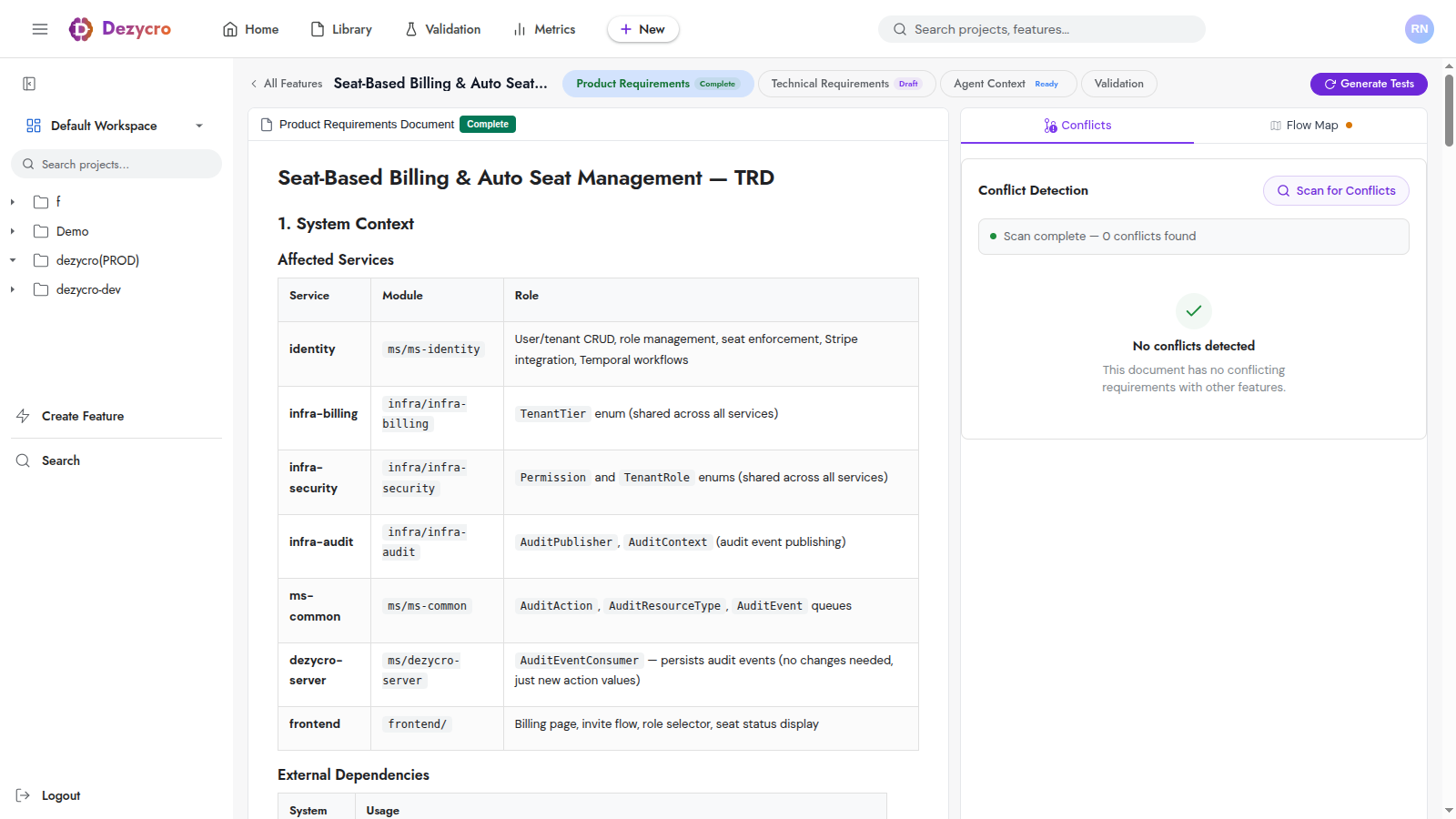
There's no required schema or format. Write a TRD the way that works for your team. The shape that tends to work well covers a few areas — architecture / system shape, data model, API contracts, failure modes, migration / rollout strategy, and open questions — but treat that as a starting point, not a checklist. A short, sharp TRD that addresses what actually matters for your feature beats a long one padded out to fit a template.
What does matter:
- The API contracts are concrete enough to drive your OpenAPI spec. That's what the verifier validates against.
- Failure modes are spelled out. This is where most negative-test journeys come from. Hand-wave here and the feature ships fragile.
- Open questions are honest. Every TRD has them; pretending you don't have any is what causes implementation surprises later.
Authoring a TRD
Three paths:
Web UI editor
The plain markdown editor. Useful for small edits or when you have a draft in another tool you want to paste in.
AI chat
Open the TRD document → use the chat panel. Describe what you want; the AI drafts sections using your PRD + ingested documents as grounding.
/<prefix>:dz-author --doc trd (your coding agent)
Guided state machine: scan existing work → clarify gaps with you → propose placement → create-or-load feature → discovery (gather context) → draft → iterate with you → finalize. State persists to the authoring transcript so the loop survives compaction.
For a TRD without an approved PRD, /<prefix>:dz-author --doc trd refuses by default — the PRD is the input to the TRD authoring, so it has to exist first.
Revising an approved TRD
(/acme-dz-author --doc trd --revise-existing in Cursor; acme stands in for your workspace's prefix.)
Loads the current TRD content and walks you through revising it section-by-section. Each section can be kept unchanged, edited in place, or rewritten from scratch.
History is preserved — every saved revision creates a new version snapshot. Old versions are read-only but viewable.
TRD lifecycle
stateDiagram-v2
  direction LR
  [*] --> DRAFT
  DRAFT --> IN_PROGRESS
IN_PROGRESS --> COMPLETE- DRAFT — Work in progress.
- IN_PROGRESS — Actively being authored or revised.
- COMPLETE — Author considers it done. This is the signal the rest of Dezycro reads —
/<prefix>:dz-workwon't start a coding session until the flow graph is approved and both PRD and TRD areCOMPLETE.
Every revision is preserved as a version snapshot, so you can always compare against earlier drafts. For major surgery on a finished TRD, --revise-existing is the right tool.
How TRDs interact with the rest of Dezycro
| Surface | What it reads from the TRD |
|---|---|
| Validation Center | Nothing directly: journeys come from the PRD's flows, and the checks from the OpenAPI spec you publish |
| Verifier | Indirectly — via the OpenAPI spec you publish from the TRD; see Making your API verifiable |
| Coverage projection | The published spec's operations — to identify which paths should have journey coverage |
| Open questions | Become the seed for workbook Decisions as questions get resolved |
Common failure modes
- TRD diverges from the published OpenAPI spec. Symptom: verifier reports
FAIL_DECISIVE_CONTRACTon journeys that "should pass." Fix: update one to match the other. - TRD is comprehensive but the API contracts section is thin. Other sections aren't load-bearing the way API contracts are — keep them tight.
--revise-existingrewrites too aggressively. Keep unchanged sections unchanged; the per-section flow exists specifically to keep stable parts stable.
See also
- The Workbook — journeys, tasks, decisions, issues
/<prefix>:dz-author— the guided authoring state machine- The Verifier — what proves the TRD's API contracts are honored