Projects, features & documents
Projects, features, and the two document types (PRD + TRD) are the unit of work in Dezycro.
Projects
A project is the top-level grouping inside a workspace. Each project contains:
- Features — the unit of behavior (each with its own PRD/TRD + workbook)
- Ingested Documents — uploaded files used for RAG enrichment of PRDs and tests
- Settings — project-scoped defaults
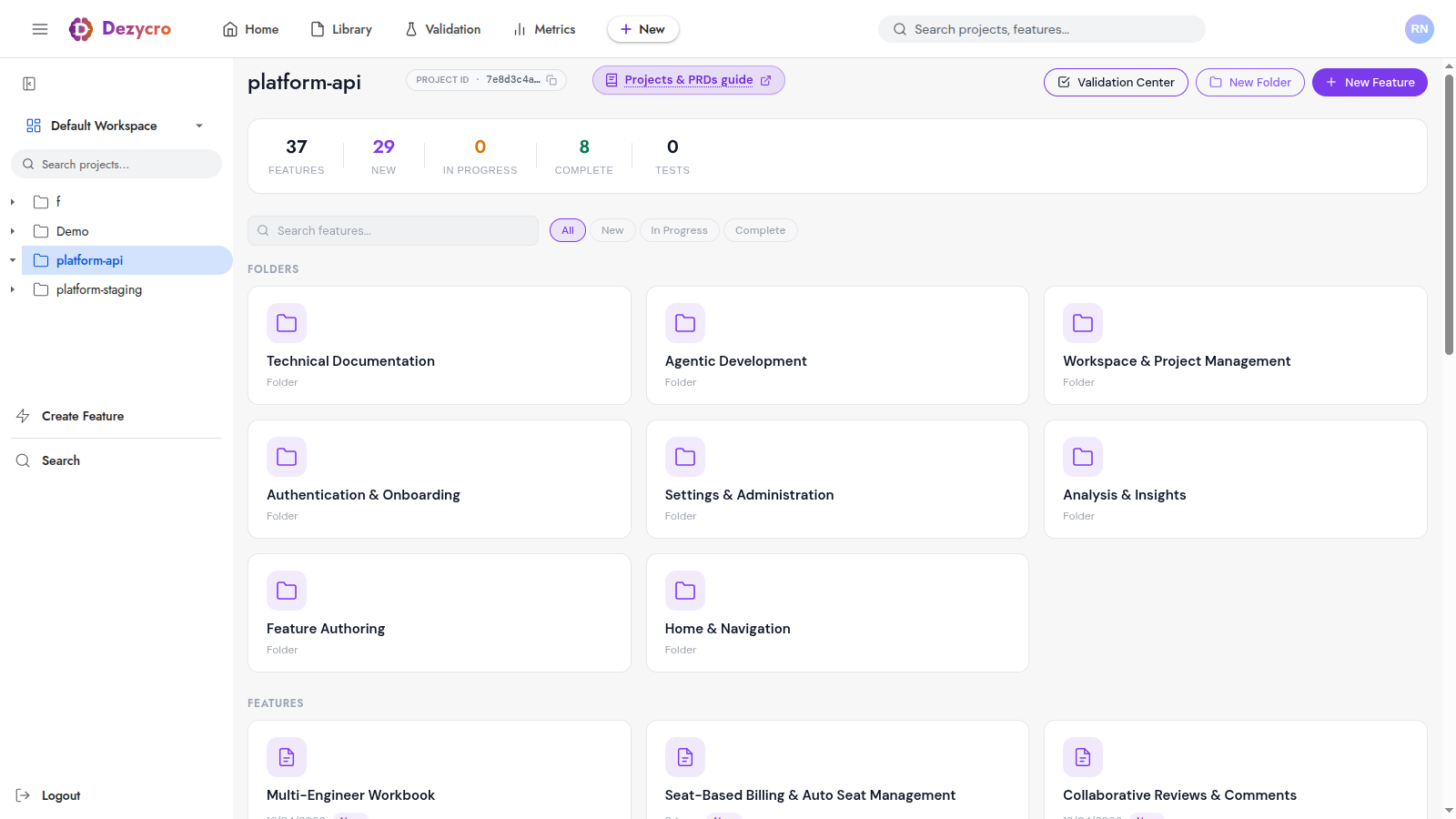
The project page surfaces a stat row across the top (features, new, in-progress, complete, tests), the project's folders for grouping related features, and the feature list itself underneath. The Project ID copy chip next to the title is the same one CI Setup reads from.
Project status
| Status | Meaning |
|---|---|
| Active | Currently being worked on |
| Archived | No longer active, preserved for reference |
Archive or delete a project from the bottom of its project page.
Features
A feature is the smallest planned unit of behavior — typically one user story or one related cluster. Features live inside a project and can be nested under directories for organization.
When you create a feature, Dezycro auto-creates two documents (PRD + TRD) and an empty workbook for it.
Creating a feature
Every New Feature button in the app (New feature in the left rail, project pages, ⌘K) opens the same chooser with three ways in — all ending at the same place: a named, placed feature with a seeded PRD.
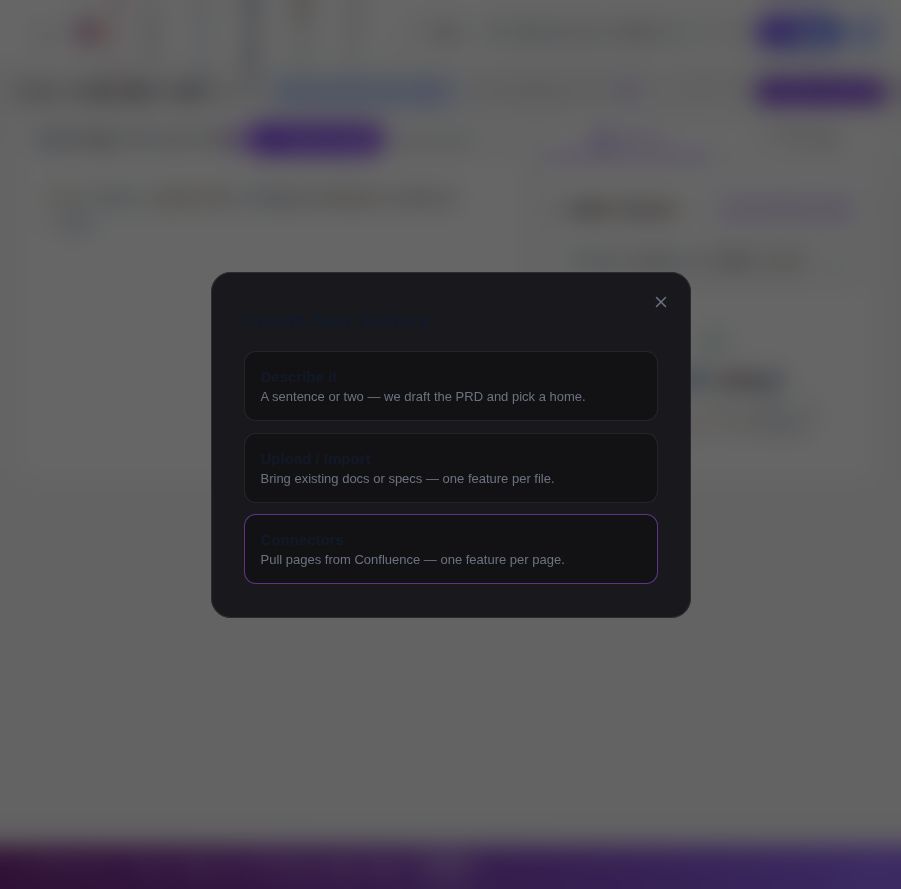
- Describe it — type a sentence or two about the feature. Dezycro suggests a name and a folder placement from your description, then drops you into PRD authoring with your intent pre-filled.
- Upload / Import — drag in files or a folder (markdown / text, up to 1 MB per file, 50 files per drop). Each file becomes one proposed feature in a review list — rename, re-home, or deselect before creating. PDF extraction is on the roadmap.
- Connectors — pull pages from Confluence, one feature per page, with a per-document Copy vs Link choice. See the Confluence connector guide.
Feature status
Feature tiles, filters, and project stats show one of four statuses:
| Status | Meaning |
|---|---|
| NEW | The feature is being specced (PRD/TRD in the works) |
| READY | Specs finalized and approved — agent work can start or is underway |
| COMPLETE | Verified against intent: all enforced journeys passing (or shipped to the regression suite) |
| ABANDONED | Explicitly parked via the tile's Abandon action; Restore brings it back |
Complete is earned through verification, never by finishing documents — a feature with a finalized PRD but no passing journeys shows as Ready, not Complete.
Under the hood these project from the finer-grained lifecycle (DRAFT → APPROVED → IN_PROGRESS → VERIFIED → SHIPPED), whose transitions are mostly automatic — see The Workbook → Lifecycle stages.
Folder-Aware Feature Creation
Whichever on-ramp you use, Dezycro suggests a directory placement based on the feature's content + existing project structure (RAG-backed). You can accept the suggestion, override with a different directory, or place the feature at project root.
The two documents
Every feature has two associated markdown documents:
PRD (Product Requirement Document)
Describes what should happen — user stories, acceptance criteria, the behavior the user can expect. There's no required schema; structure it the way that fits the feature.
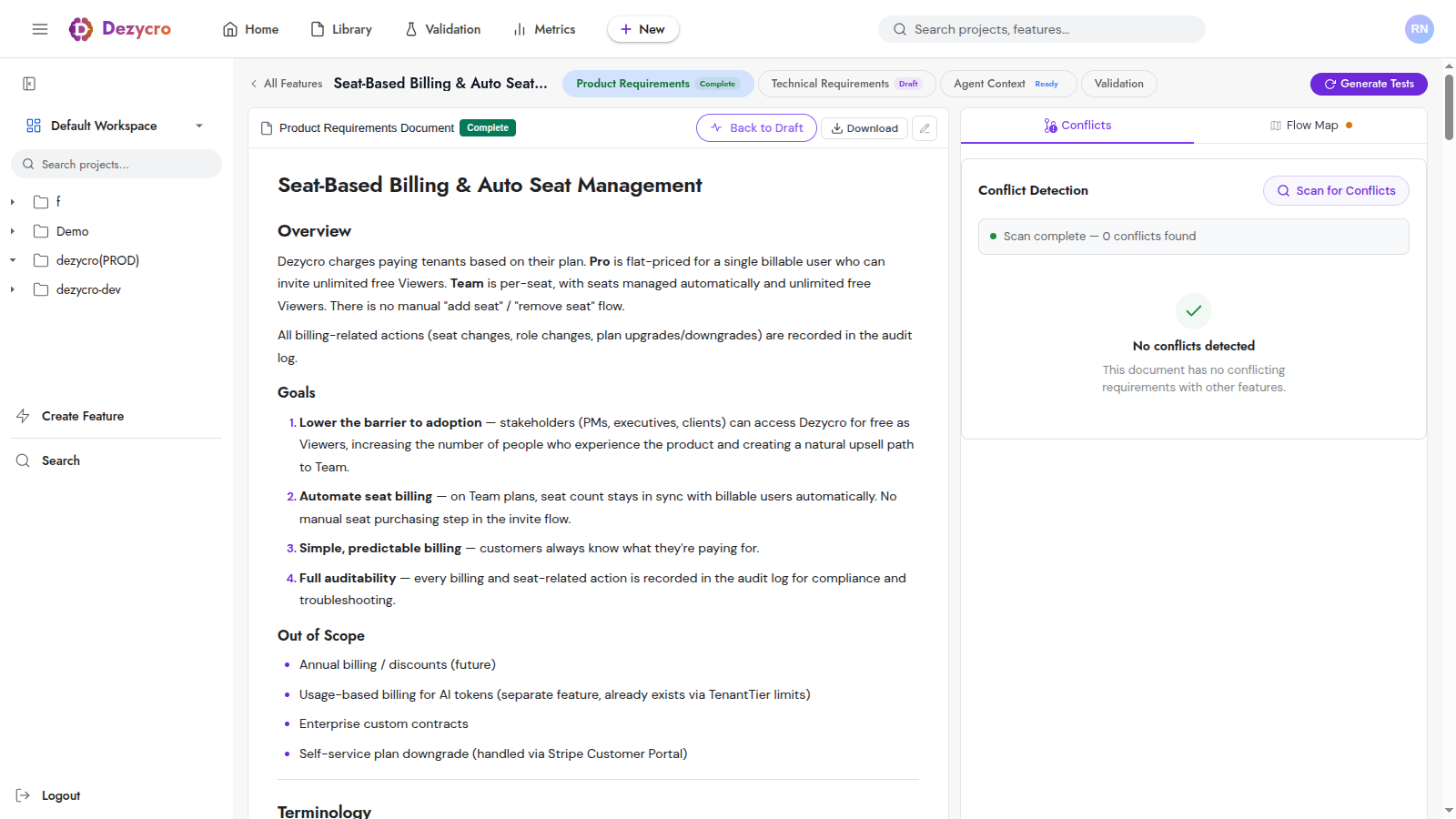
The feature stepper at the top of the page (Product Requirements → Technical Requirements → Agent Context → Validation) shows the lifecycle and lets you jump between the four artifacts; the right panel runs continuous conflict detection against other PRDs in the same project, and also hosts the Flow Map — review it before finalizing the PRD.
TRD (Technical Requirement Document)
Describes how it'll be built. There's no required format — see the dedicated TRDs guide for what tends to work well, plus authoring and revision flow.
Document sources: Owned vs Linked
Each document is either owned or linked, decided per document at import time:
- Owned (the default) — Dezycro stores the document and it's editable here. Everything created in-app, uploaded, or copied from a connector is owned.
- Linked — the document lives in an external source of truth (Confluence today). Dezycro keeps only a reference: the content is fetched on demand, shown read-only with a "Source of truth: Confluence" banner, and is never durably stored in Dezycro. Edit in Confluence and click Refresh from source.
See the Confluence connector guide for the full comparison.
Document status
Each document moves through:
| Status | Meaning |
|---|---|
| DRAFT | Work in progress |
| IN_PROGRESS | Actively being authored / revised |
| COMPLETE | Author considers it done — the document becomes AI context for other features and, for PRDs, moves the feature to READY. Document status is about the document; the feature's own status is earned via verification (see above) |
You can edit any document at any time; every saved revision is preserved as a version snapshot, so history is never lost.
Authoring methods
Three ways to write each document:
- Web UI editor — direct markdown editing
- AI chat in
app.dezycro.ai— describe what you want, the AI drafts the document /<prefix>:dz-authorin the Dezycro CLI — guided state machine: discovery → clarifying Q&A → drafting → quality gate
For TRDs specifically, /<prefix>:dz-author --doc trd is the recommended path — it bakes the quality gate into the loop and won't let you finalize a TRD that doesn't address every PRD pillar.
Conflict detection
When multiple PRDs or PRD sections contain contradictory or overlapping requirements, Dezycro highlights the conflicts. You can:
- Review each conflict with the conflicting sections side by side
- Dismiss false positives
- Resolve by editing the underlying section