Notebooks
Notebooks are durable, workspace-scoped knowledge surfaces — the place for the operational knowledge that doesn't belong to any single feature: runbooks, SOPs, environment gotchas, research logs, lessons your agents learn the hard way.
Where the Knowledge Base holds reference documents that ground AI generation, notebooks are living pages that humans and agents read and write during day-to-day work.
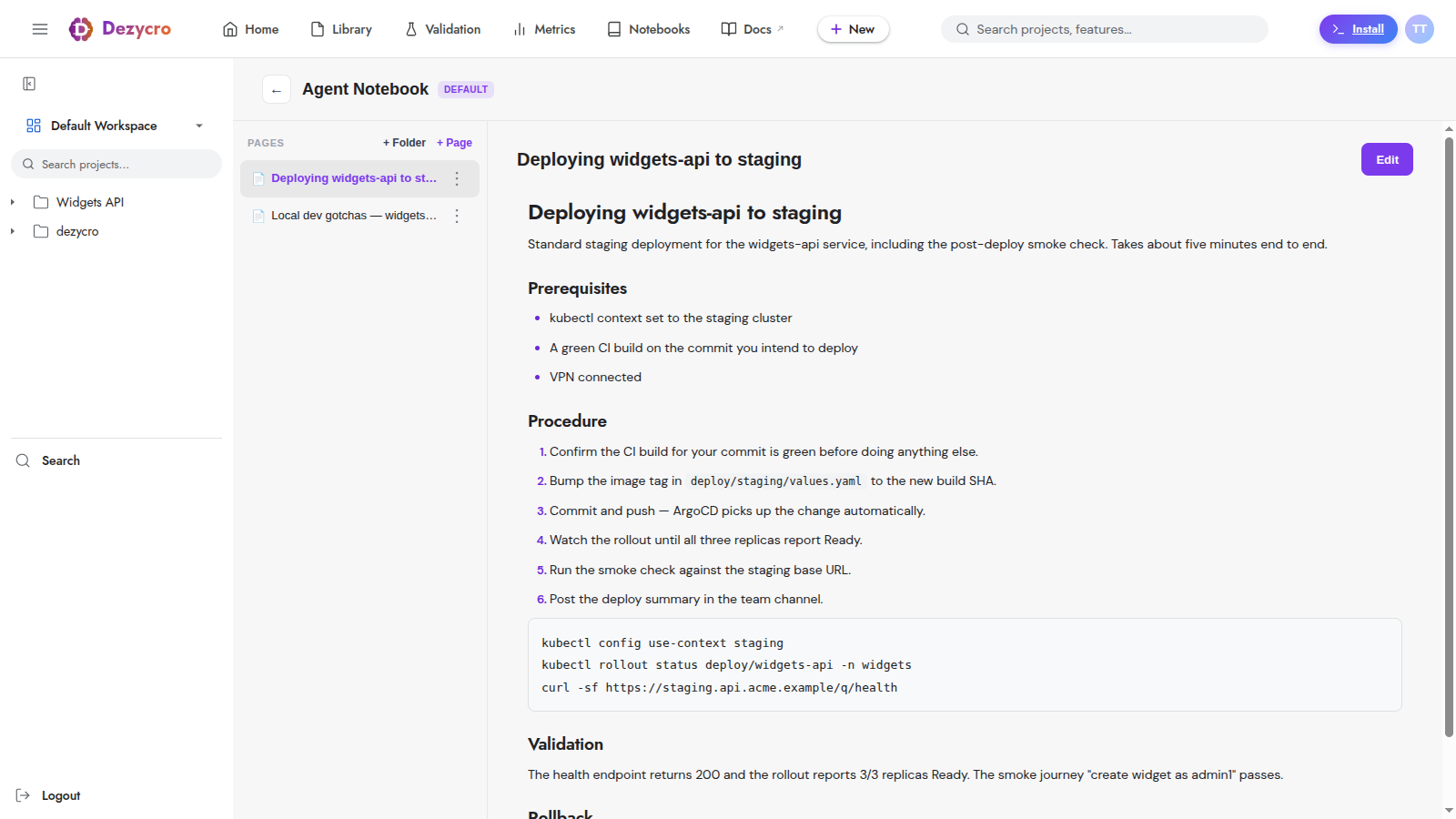
The model
- Every workspace has a default notebook, the Agent Playbook — the notebook the built-in
dz-kb-learn/dz-kb-recallskills read and write, and the one delivered to your coding agents as team rules. You can create more (plan limits below). - A notebook contains pages — markdown documents, optionally organized into directories (paid plans).
- Humans create and delete notebooks in the web app (Workspace → Notebooks in the left rail). Agents can read and write pages but can never create or delete a notebook — the container is always under human control.
- Every page edit creates a version snapshot server-side.
- In a notebook, the page sidebar filters by title (including pages inside directories), sorts by name or by date, and pages through long notebooks.
Plan limits
| Free | Pro | Team | Enterprise | |
|---|---|---|---|---|
| Notebooks per workspace | 2 | 3 | Unlimited | Unlimited |
| Pages per notebook | 1 | 100 | Unlimited | Unlimited |
| Characters per page | 5,000 | Unlimited | Unlimited | Unlimited |
| Directories | — | ✓ | ✓ | ✓ |
Limits are enforced server-side regardless of which surface (UI, MCP) does the writing.
How agents use notebooks
Notebooks are designed to be read efficiently by agents — a page isn't just a blob of markdown. Via the MCP server:
- Discover —
list_notebooks, thenread_notebook_tocfor a notebook's directories and page titles (no content, cheap). - Search —
search_notebookruns section-level semantic search and returns ranked hits with a content snippet, trust signals (freshness, whether a human edited it), and arecommendedViewtelling the agent the cheapest way to read that section. - Read —
read_pagesupports structured views, from cheapest to most expensive:CONTEXT(orientation),OVERVIEW(outline),PATHS(decision trees),PROCEDURE(ordered steps only),EVIDENCE,SECTIONS,GRAPH, andMARKDOWN(full body, last resort). Pass asectionIdfrom a search hit to read just that section. - Write —
write_page/update_pagefor free-form markdown, orwrite_runbook_pagefor structured runbooks: the agent supplies typed fields (summary, prerequisites, steps, commands, validation, rollback) and the server assembles canonical markdown.
list_notebooks, search_notebook, and read_page are always available; the writing and table-of-contents tools live in the kb toolset, which an agent enables on demand.
The structured views are what make notebooks agent-friendly: an agent following a runbook can fetch just the PROCEDURE steps instead of re-reading the whole page every turn.
What belongs in a notebook
- Runbooks — "how to deploy", "how to run the migration", "how to rotate this credential"
- Environment gotchas — the local-setup quirks that burn an hour each time someone forgets
- Research logs — findings worth keeping after the conversation that produced them is gone
- Agent lessons — corrections you've given an agent that should survive into future sessions (these go in the Agent Playbook)
Feature-specific knowledge (decisions, issues, assumptions) belongs in the feature's workbook, not a notebook. Rule of thumb: if it's about one feature, workbook; if it's about how this team or environment works, notebook.