Flow Map¶
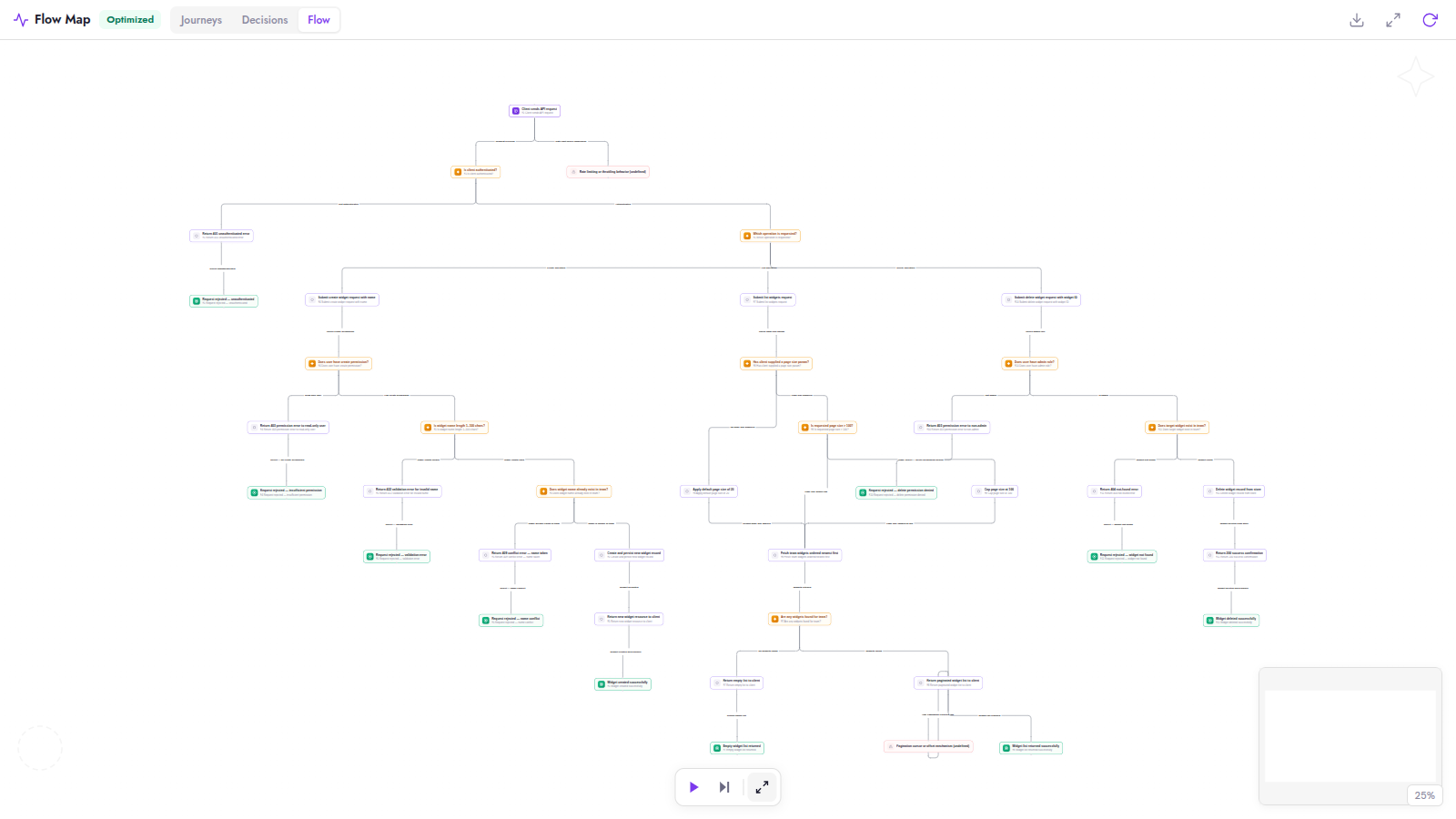
The Flow Map is an interactive visualization of the user flows described in your PRD. Dezycro's AI reads the PRD, extracts the journeys a user can take through the feature and the decision points along the way, and lays them out as a navigable graph.
It exists to answer one question before any code is written: did the AI understand your PRD the way you meant it? If the graph shows a flow you never intended — or is missing one you did — the PRD is ambiguous, and now is the cheapest moment to fix it.
Where to find it¶
Open a feature's PRD page and switch the side panel to the Flow Map tab (next to Conflicts). Use Fullscreen for the full canvas. The same graph also backs the journey/decision summary used elsewhere in the product.
How it's generated¶
- Generation runs automatically in the background once your PRD has enough content. A status indicator shows progress while the graph is being built.
- Edited the PRD and want a fresh graph? Hit Regenerate in the Flow Map toolbar.
- Generation is AI-driven and counts against your token allowance like other PRD-derived generation.
What's in the graph¶
The toolbar offers three lenses on the same graph — Journeys, Decisions, and the full Flow canvas — plus a step-through walkthrough player and a complexity score.
- Journeys — end-to-end paths a user takes through the feature ("create a widget", "fail to delete someone else's widget"). These become the seed for test journeys.
- Decision points — places where the flow branches (validation outcomes, permission checks, error paths).
- Gap nodes — behavior your PRD implies but never defines (e.g. "pagination mechanism (undefined)") is surfaced as an explicit gap, so you can fix the PRD before tests are generated from it.
- Every node cites the PRD section it came from (§N) — click through to jump to the source passage.
Why it gates the lifecycle¶
The flow map is the bridge between documents and verification. When you finalize the PRD (mark it COMPLETE), the feature transitions DRAFT → APPROVED, the workbook initializes, and the approved flow graph becomes the basis for journey generation and the agent context.
This is why /<prefix>:dz-work refuses to start a coding session on a DRAFT feature: without an approved flow graph there are no journeys, no execution plan, and no agent context — review the graph in the webapp first.
Review checklist¶
Before finalizing the PRD, scan the flow map for:
- [ ] Missing journeys — a behavior your PRD promises that has no path in the graph
- [ ] Invented journeys — a path in the graph your PRD never asked for (ambiguous wording usually causes this)
- [ ] Missing failure branches — every decision point should have its "no" path; thin error handling here becomes thin negative-test coverage later
- [ ] Every journey ends on a named result — "the job is skipped", "the card is approved"; a journey that ends on "done" or on a background effect nobody can see gives the verifier nothing to check. See Writing PRD flows Dezycro can check; what the API then has to expose is in Making your API verifiable