Agent Playbook
Every workspace has a notebook called the Agent Playbook. It's where your team's standing rules live — the conventions, decisions, gotchas, and hard-won lessons that every coding agent (and every human) should follow — and it's the one place a correction you give an agent today becomes a rule every agent follows tomorrow.
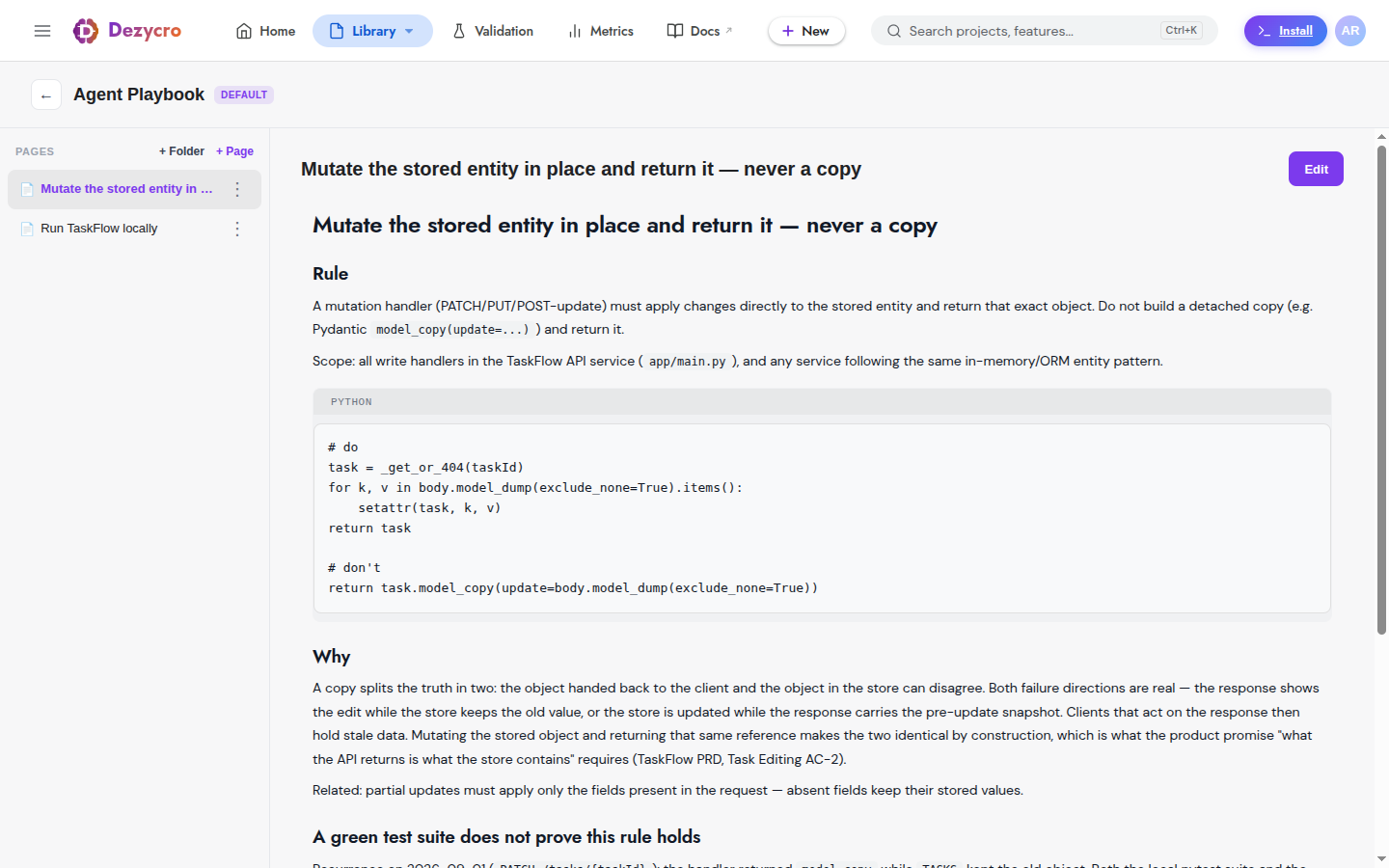
Renamed from \"Knowledge Base\"
The Agent Playbook is the workspace's default notebook, previously called the Knowledge Base. The name Knowledge Base now refers only to reference documents you upload or import via connectors under Settings → Knowledge Base. Same workspace, two different things — see What goes where below.
What it is
- A notebook — pages of markdown, optionally in directories, with a version history per page.
- Agents write to it and read from it, via the
dz-kb-learn/dz-kb-recallskills and the notebook MCP tools. - Humans curate it in the web app (Notebooks in the top bar) and configure how it reaches agents under Settings → Agent Playbook.
- It's delivered to every agent session you run through the Dezycro CLI as team rules — see Team rules delivery.
What belongs here: "we use REST, not gRPC, for new APIs"; "never run migrations from a laptop"; "the flaky test in auth is a clock-skew issue, not a real failure"; "PR descriptions link the workbook task". What doesn't: anything about a single feature (that's the feature's workbook), secrets, or session narrative.
How knowledge gets in
From a conversation — the agent invokes /<prefix>:dz-kb-learn on its own when you state a lasting rule ("from now on…", "we never…", "don't do X again"), when review feedback generalizes beyond the task at hand, or when a gotcha turns out to be worth keeping. You can also call it directly:
The skill keeps the playbook trustworthy rather than noisy: it distills a timeless rule with the why and who decided, updates an existing entry instead of near-duplicating it (replaced rules stay visible as superseded), and refuses secrets, task-scoped context, speculation, and anything a linter already enforces. If the playbook is unavailable or full, it says so in one line and moves on — it never blocks your work.
By hand — open Notebooks, pick the Agent Playbook, and write or edit a page. Runbooks are best written with a consistent shape (summary, prerequisites, steps, commands, validation, rollback); agents can produce that shape for you with the write_runbook_page MCP tool.
From an agent's own tools — write_page, update_page, and write_runbook_page on the MCP server. Agents can write pages, but only a human can create or delete a notebook.
How knowledge gets used
1. Before substantive work: dz-kb-recall
Before starting a new endpoint, a refactor, an integration, or a design decision — or when you ask "how do we usually…?" — the agent runs /<prefix>:dz-kb-recall. It does a couple of targeted searches, reads the few most relevant pages, and applies what it finds, citing an entry only when it actually shaped the work. Conflicts are surfaced, not guessed at:
| Conflict | What the agent does |
|---|---|
| Task vs. playbook | "The playbook says REST-only (May 2026); this task asks for gRPC — proceed anyway?" If you overrule, it offers once to update the entry. |
| Entry vs. entry | Shows both with their freshness signals; you pick which applies. |
| Playbook vs. code | Flags the entry that no longer matches reality; a confirmed-wrong entry becomes a dz-kb-learn moment. |
2. While authoring PRDs and TRDs
The authoring chat and /<prefix>:dz-author search your notebooks alongside the Knowledge Base, so requirements are grounded in how your team actually works. Anything used shows up as a citation on the draft, marked as coming from a notebook.
3. Team rules delivery
When you launch your agent through the Dezycro gateway (dezycro run claude, dezycro run cursor), the playbook rides along as team rules — standing guidance the model sees on every request, without anyone pasting it into a prompt. There are two delivery modes:
| Mode | What reaches the agent | Best for |
|---|---|---|
| Total Adherence | The full rule set, on every request. It sits in the cache-stable part of the prompt, so it's cheap in tokens — but it occupies context-window space. | Small and medium playbooks |
| Cost-Efficient at Scale | A compact index — one trigger line per rule page saying when to consult it. The agent fetches the specific page on demand (search_notebook → read_page). |
Large playbooks, big teams |
An index of trigger lines, rather than summaries, is deliberate: a summary that's never opened is indistinguishable from a rule that was obeyed, whereas "when you write an HTTP handler, read Error response format" tells the agent exactly when to look.
How the mode is chosen. Size is the gate: below 64,000 characters of playbook text, Total Adherence always wins (it's better on both adherence and cost at that size). At or above it, a mode you've pinned wins; otherwise auto picks by the repo's configured priority (rules.priority in .dezycro/config.json: adherence or cost). If the index isn't available, delivery falls back to Total Adherence — it never breaks.
dezycro rules                                 # show the active mode and where it came from
dezycro rules --mode total-adherence          # pin: full rules, always
dezycro rules --mode cost-efficient-at-scale  # pin: index + fetch on demand
dezycro rules --mode auto                     # let Dezycro choose (default)
dezycro rules --json
A pinned mode is written to the repo's .dezycro/config.json and takes effect on dezycro run --restart.
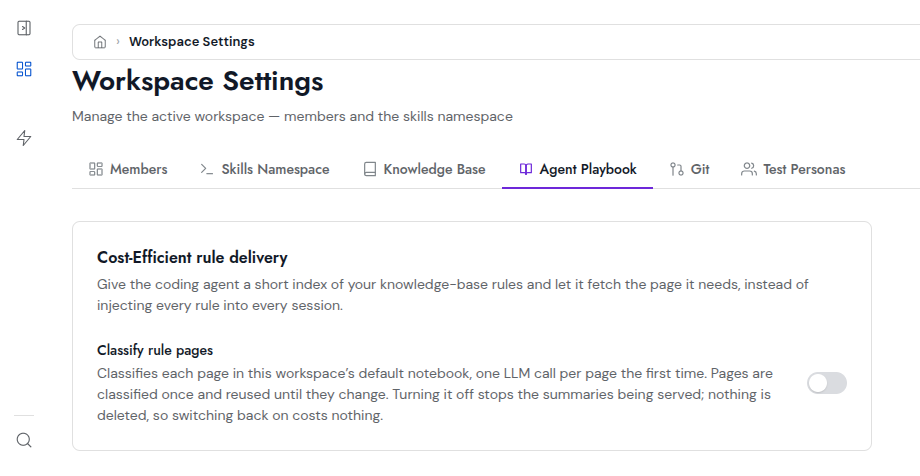
Turning on the index. Cost-Efficient delivery needs each playbook page classified once — a trigger line and a category, produced by one short LLM call per page and reused until the page changes. A workspace admin enables this under Settings → Agent Playbook → Cost-Efficient rule delivery → Classify rule pages:
Give the coding agent a short index of your knowledge-base rules and let it fetch the page it needs, instead of injecting every rule into every session.
(The switch still says "knowledge-base rules" — it means your Agent Playbook pages.)
Existing pages are classified in the background when you switch it on (a few minutes for a large notebook). Only the Agent Playbook is classified — other notebooks aren't. Turning it off stops the index being served; nothing is deleted, so switching back on costs nothing. A page that hasn't been classified yet is simply delivered in full.
What goes where
| Agent Playbook | Feature workbook | Knowledge Base | |
|---|---|---|---|
| Holds | Standing team rules, conventions, runbooks, gotchas, agent lessons | Journeys, tasks, decisions, issues, assumptions, verifier runs — for one feature | Reference documents: uploads and Confluence / Linear imports |
| Written by | Agents (dz-kb-learn) and humans |
Agents (dz-sync, the Companion) and humans |
Humans (upload / import); read-only afterwards |
| Read by | dz-kb-recall, authoring chat, and every gateway session as team rules |
dz-work, dz-status, the Companion, the web app |
PRD/TRD authoring and chat, with citations |
| Lives at | Notebooks → Agent Playbook; Settings → Agent Playbook | The feature page | Settings → Knowledge Base |
Rule of thumb: if it's about one feature, workbook; if it's about how this team works, playbook; if it's a document someone else wrote, Knowledge Base.
Plan limits
The Agent Playbook is a notebook, so notebook plan limits apply — on the Free plan it holds a single page.